Positioning a Hero Display Without Blocking Store Circulation
A hero display is a focal presentation with a specific merchandising role, such as introducing a launch or showing a signature collectible.
- Published
- 2026-09-08
- Updated
- 2026-09-08
- Reading time
- 8 minutes
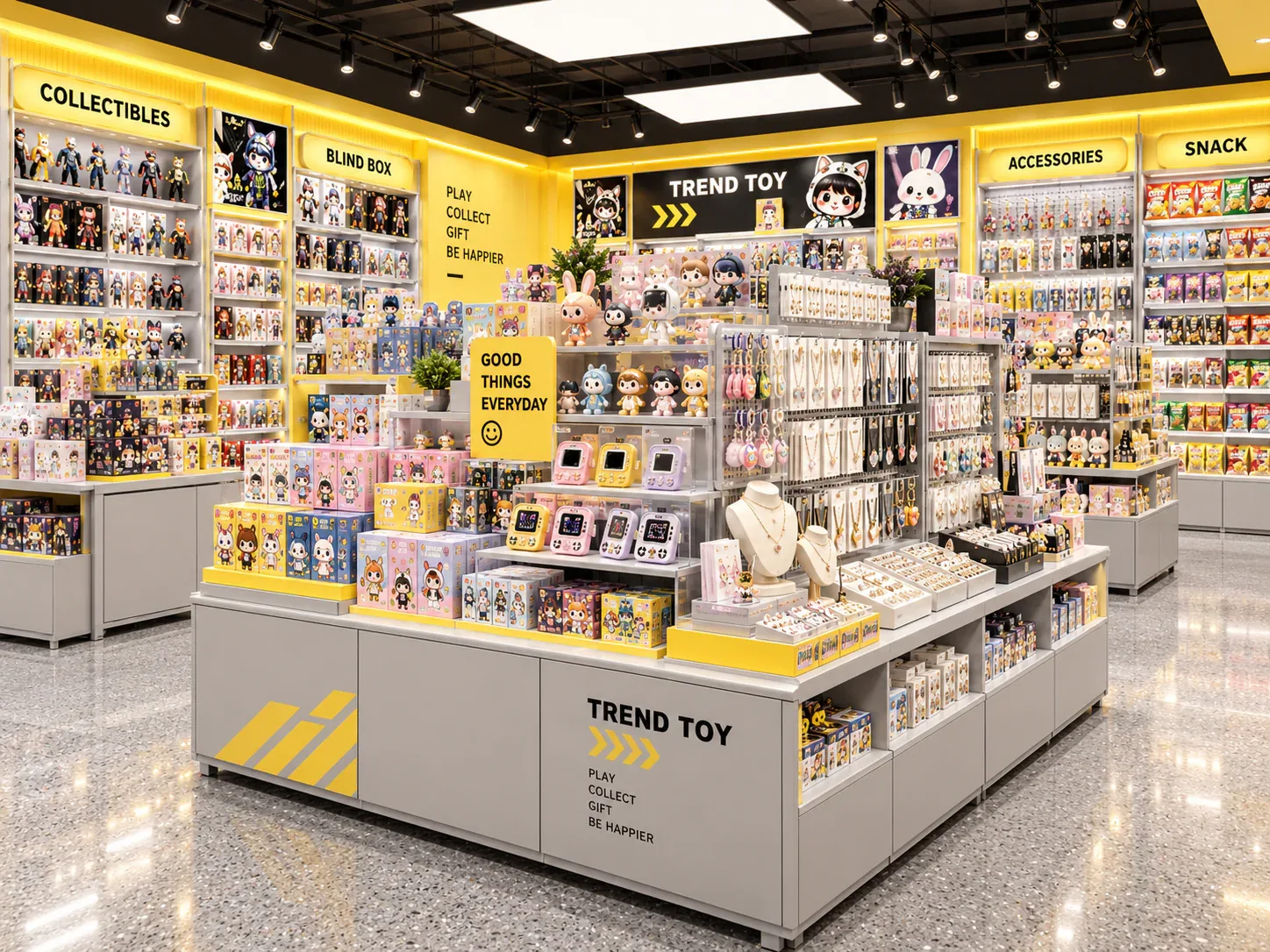
A hero display is a focal presentation with a specific merchandising role, such as introducing a launch or showing a signature collectible. Its prominence should come from a deliberate relationship to the store, not from occupying the busiest available patch of floor.
Three decisions to carry into your project.
- 01
Define the focal task
- 02
Include the full display envelope
- 03
Mark approach and stopping positions
Start with the decision
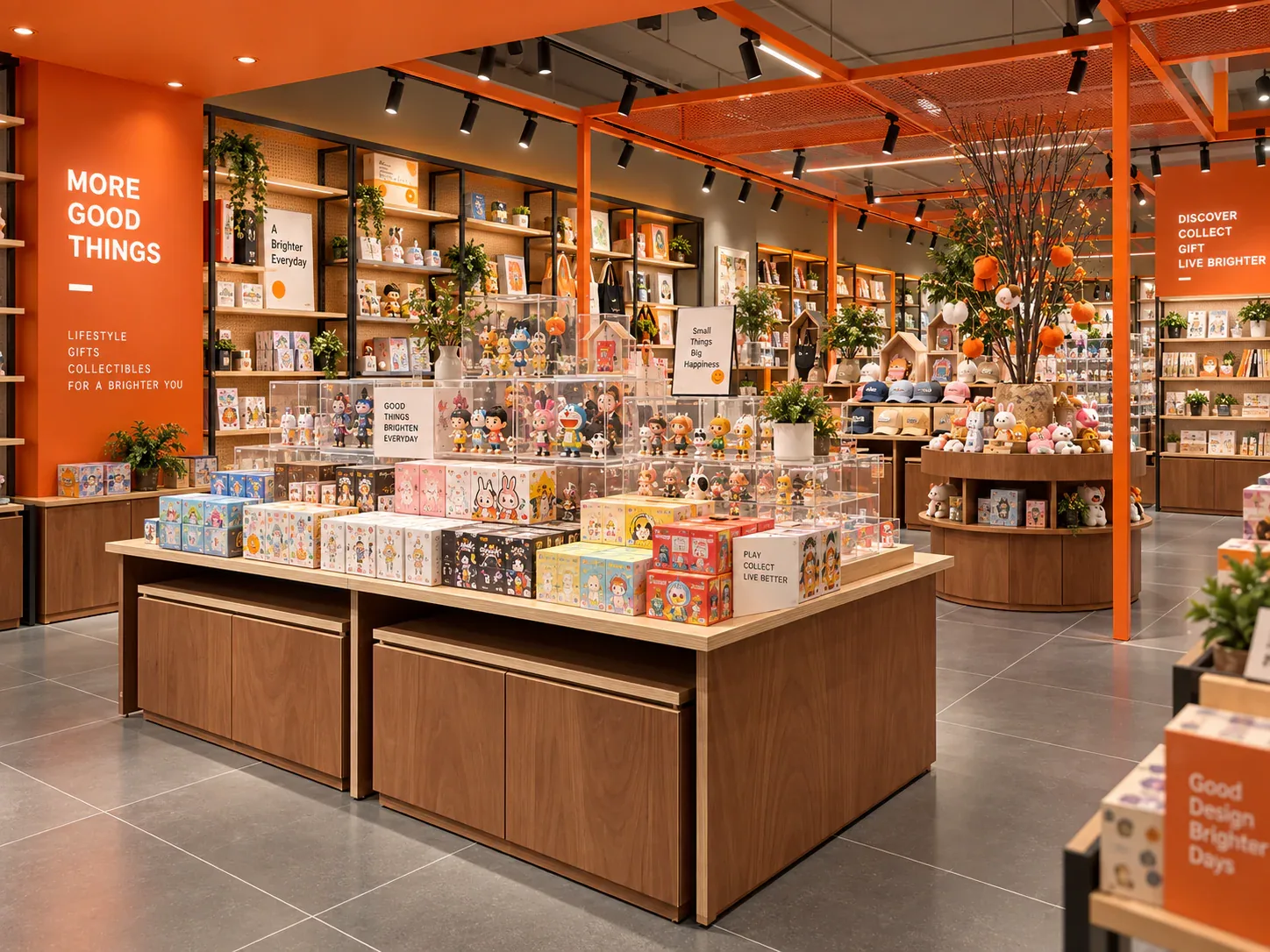
A hero display is a focal presentation with a specific merchandising role, such as introducing a launch or showing a signature collectible. Its prominence should come from a deliberate relationship to the store, not from occupying the busiest available patch of floor. Review its position together with the people who approach, stop, continue browsing and replenish it.
Create a focal-display placement sheet comparing candidate locations against the same merchandise and operating scenarios. Include the fixture outline, the complete display envelope and the activities around it. This is a design-review method, not a declaration that a particular arrangement meets local access or egress requirements; those need confirmation through the responsible project team.
Define the focal task
Start by describing what the display must communicate. It might introduce one figure, explain a new series or connect several products through a theme. A display intended for immediate recognition can require a different position from one that invites close examination or direct product selection.
Identify what success looks like in observable terms during the design review. The visitor might be able to identify the featured range, see the intended view of the product or understand where to buy it. Avoid using an undefined ambition such as “maximum impact” as the only basis for placement.
Keep the task narrow enough to guide decisions. If the same unit is expected to display samples, hold large quantities of stock, carry detailed information and manage an event interaction, the team should decide which activities are primary and whether some belong elsewhere.
Include the full display envelope
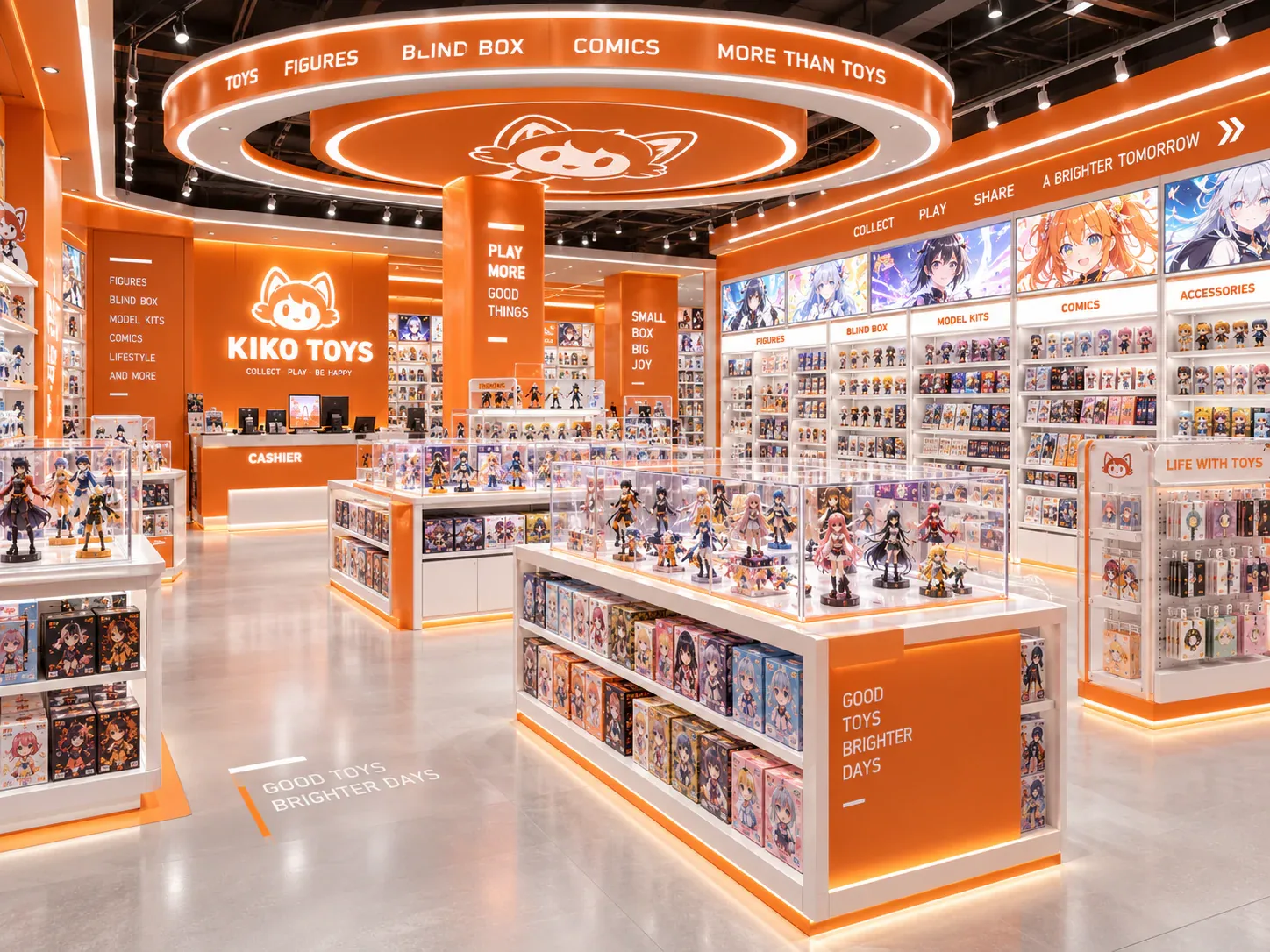
Draw the intended merchandise, graphics and other additions as well as the base fixture. The occupied visual and physical space may extend beyond the cabinet outline. A large boxed item or a projecting graphic can change the relationship to nearby movement even when the fixture footprint remains unchanged.
Use the actual proposed products or representative formats. A rendering with a small placeholder figure can make a location look more open than the intended presentation. State assumptions where the final merchandise is not yet available and identify which changes would require another review.
Include any operating parts that move during use. Doors, drawers or access panels may create a different condition while staff work at the display. The supplier and installer should provide the relevant information for the actual unit rather than expecting the buyer to infer it from a closed-front image.
Mark approach and stopping positions
Show how a visitor approaches the display from the relevant routes. Then mark where that visitor is expected to stop, inspect or select a product. These positions help the team understand how the focal presentation interacts with circulation in actual use.
Consider more than one visitor where that reflects the intended task. A companion may stand beside someone inspecting a figure, or another shopper may approach from the opposite direction. The review should identify these relationships without pretending to predict an exact crowd size from a concept plan.
Do not treat the remaining white area on a floor plan as automatically usable circulation. The responsible team needs to consider the complete arrangement and applicable requirements. A practical mock-up can reveal operating conflicts, but it does not replace the relevant professional review.
Preserve a clear onward choice
After viewing the feature, the visitor should be able to understand the next relevant action. That may be continuing to a category, finding the sale unit or approaching staff. A focal display that attracts attention but leaves the purchase relationship unclear creates an incomplete journey.
Review the display from its different sides. Some faces may invite approach while others are intended as backgrounds or service access. The layout should not unintentionally lead customers towards a side that offers no useful information or conflicts with staff operation.
Connect the display's graphics to the wider store information. A launch message can point to a related category or explain that the item is a sample. The goal is a coherent relationship between attention and action, not a separate visual object that competes with every other destination.
Plan staff access and replenishment
Identify how staff reach the display with stock, tools or replacement graphics as required by the actual arrangement. The route may differ from the customer approach. Record where those activities interact and whether the proposed location gives staff a workable sequence.
If the display is intended to change frequently, review a changeover as well as daily replenishment. A visually strong central location may require moving products through an active browsing area. That can be manageable under an agreed operating plan, but it should not be ignored during fixture selection.
Avoid solving every access question by assuming the display will be moved. The unit's actual design, connections and handling requirements determine whether and how repositioning is appropriate. Ask the supplier and responsible installer to define the permitted method rather than labelling the fixture portable from appearance alone.
Use a placement comparison sheet
The following table lists the questions to apply to each candidate position. Use the same display configuration and operating assumptions across the options.
See the decision table below for the working record.
Add observations and unresolved questions rather than assigning a score without explanation. A location may perform well for recognition but require a different product-selection arrangement. The buyer needs to understand that trade-off before accepting a simple ranking.
Compare central and offset positions
A central position can make the display part of several routes, but it also creates more surrounding relationships to coordinate. Visitors may approach from multiple sides, and staff access may cross customer movement. Review all the sides the arrangement invites people to use.
An offset position may connect more directly to a wall or category and create a different stopping area. It can also reduce visibility from some approaches. The design should explain how the feature remains recognisable and how its location serves the intended task.
Neither position is inherently correct. Compare them in the actual store shape with the same merchandise and graphic proposal. A centred rendering can favour a central unit visually while concealing the practical value of a location that works better from the real entrance or browsing route.
Review a signature-figure presentation
Consider a hypothetical collectible retailer introducing a large signature figure as the store's main visual feature. The owner initially places it at the intersection of two browsing routes. The fixture drawing shows only its base, while the planned graphic and customer stopping positions are absent.
The placement sheet adds the complete presentation and a representative inspection scenario. The team marks how visitors approach from both directions and where they pause to view the figure. Staff also demonstrate the intended access for changing the graphic and maintaining the display.
The designer compares the intersection position with an offset location beside the related collectible zone. The first creates several approach views but more interactions around the stopping area. The second changes the entrance view while making the onward relationship to the collection more direct. The buyer reviews both against the actual focal task.
The selected position includes a defined graphic envelope and a clear route to purchase assistance. This illustrative example does not claim a sales uplift or certify circulation. It shows why the complete presentation and operating activity must be considered alongside the fixture's footprint.
Define what may change later
Review how the feature relates to nearby fixtures when viewed from different approaches. A presentation can appear to have generous surrounding space from one direction while another approach leads directly into a stopping position. Mark these approach-specific observations on the placement sheet. The designer may resolve them through a changed orientation, a different information face or a revised location, but the response should be tested against the same browsing tasks.
Include the point where a customer receives the featured product if it is not taken directly from the display. A sample-only hero can attract inspection while the sale unit is supplied elsewhere. Identify that destination and the staff handover so the feature does not become a disconnected promotional object. If the purchase method changes for a later campaign, review this relationship again rather than assuming the original placement supports every selling arrangement.
Record the product formats and graphic arrangements that the chosen location has been reviewed against. A future campaign may use a different object or extend above the original display. The operating team should know when a proposed change remains within the reviewed arrangement and when it needs another look.
Keep the placement sheet with the merchandising handover. It explains why the focal display occupies that location and which surrounding relationships matter. Without that record, a later team may add signs or stock that undo the original circulation decisions unintentionally.
When enquiring about retail island displays, include the candidate locations and the focal task. The supplier can then discuss the display as part of the store's activity, rather than as an isolated object whose appearance alone determines where it belongs.
Compare one controlled basis.
How we apply this decision.
Review how the feature relates to nearby fixtures when viewed from different approaches. A presentation can appear to have generous surrounding space from one direction while another approach leads directly into a stopping position. Mark these approach-specific observations on the placement sheet. The designer may resolve them through a changed orientation, a different information face or a revised location, but the response should be tested against the same browsing tasks.
Review BENSON capabilities →What still needs project confirmation.
Use the actual site, merchandise and supplier information to confirm the project-specific arrangement. Illustrative examples do not establish technical suitability.
Prepare the required inputs →Avoid these shortcuts.
- Treating a reference image as an approved production specification.
- Comparing suppliers without identical dimensions, quantities and delivery scope.
- Separating material, lighting or hardware decisions from the drawing revision.
- Leaving packing, local installation and site interfaces undefined.
Before the next approval.
- Define the focal task
- Include the full display envelope
- Mark approach and stopping positions
- Record each open point, owner, due date and required evidence.
Trace the supporting information.
Content review policyUpdated 2026-09-08. AI-assisted buyer guidance; no independent technical review is claimed.
Move from research to a project decision.
Keep building the specification.
Defining the Merchandise Mix Before Designing a Toy Store
A toy store fixture plan should begin with the merchandise the store will actually sell, demonstrate and keep in reserve. A list of product categories is useful, but it does not tell a designer how much space a box occupies, whether a figure needs staff assistance, or how often a shelf will be replenished.
Read next →
Writing a Store Design Brief for a Designer Toy Brand
A store design brief should explain what the business needs its space to do, which conditions the design must respect, and who will decide whether a proposal meets those needs. For a designer toy brand, that means more than supplying a logo and a collection of attractive shop photographs.
Read next →
Deciding Which Fixtures to Customize and Which to Standardize
The best fixture programme is rarely the one in which every component is custom, or the one assembled entirely from standard products. A useful choice starts with the job each part must perform.
Read next →Get a project-specific recommendation.
Send your store plan, product sizes, fixture quantities, destination and opening target. BENSON will identify the product fit, engineering inputs and quotation basis.
Start Your Display Project